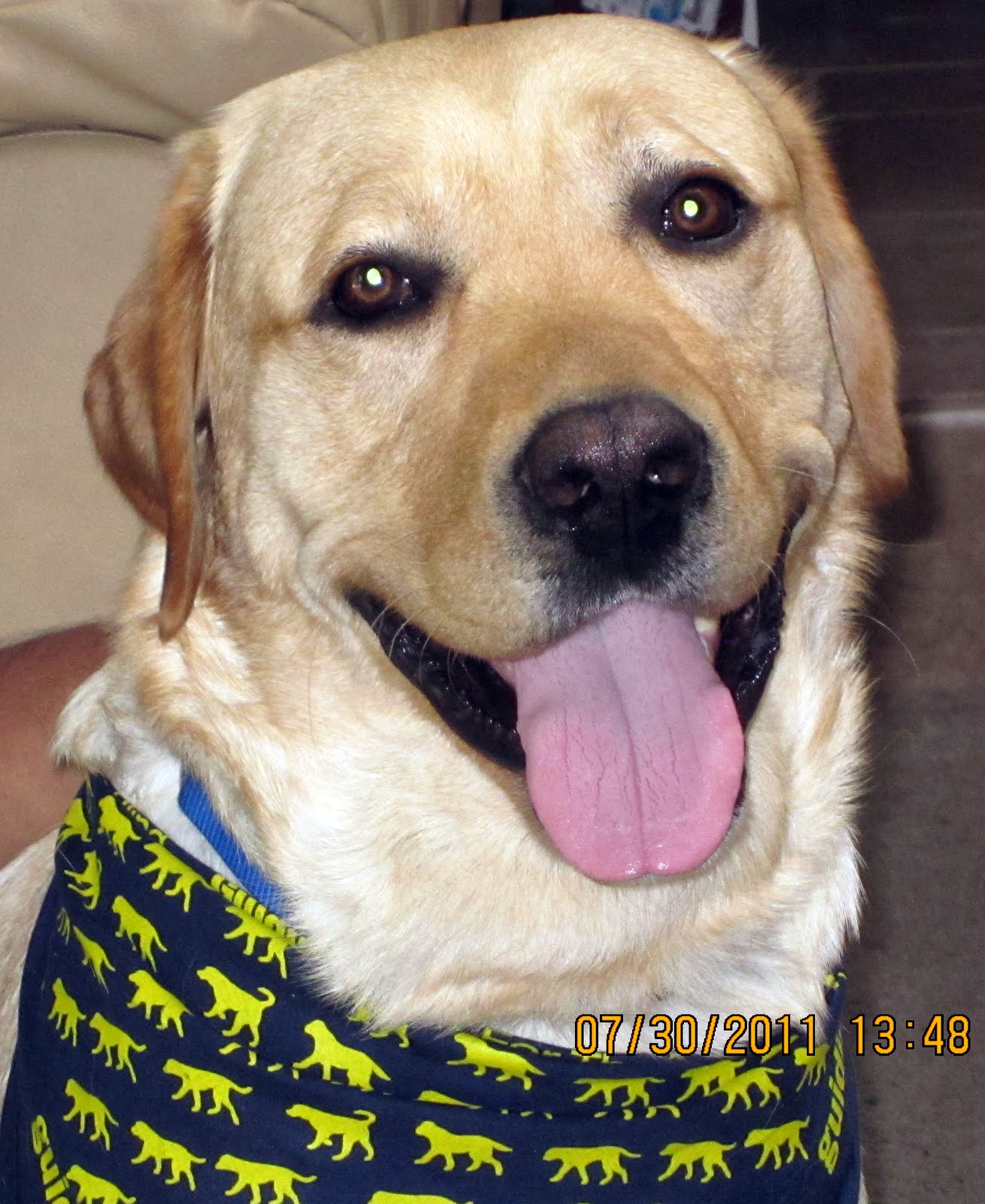
Saturday, March 04, 2023

Training Wheels For Better Ergonomics

Training Wheels For Better Ergonomics

1. Background

In my previous article Ergonomics Using xcape I described my setup to minimize chording in Emacs. The setup is working whell, and in the few weeks of usage, I've reduce the xcape timeout setting from 250ms to 170ms, this is the timeout that controls the behavior of modifier keys in xcape.

2. Training Wheels In Emacs

Next, I decided that getting some feedback from Emacs and Emacspeak when xcape behavior is triggered would act as training wheels while getting used to the setup.

I considered the following:

  1. Adding a feature to xcape that produces a sound cue on triggering modified behavior — would work everywhere in X.
  2. Having Emacs produce some feedback when xcape behavior is triggered.
  3. Asked on emacs-devel as to how one would do this in Emacsand was pointed at echo-keystrokes by one of the core Emacs maintainers.

3. Solution

I phrased my question on emacs-devel as is there an elisp hook for implementing this. Turns out no new code is needed; Emacs has a echo-keystrokes custom option that controls how long Emacs waits before displaying an incomplete key-sequence.

So now, I have echo-keystrokes set to 0.05 — and Emacspeak speaks the resulting incomplete keystroke that is displayed by Emacs.

Still playing with various values of echo-keystrokes but that is easy — it's just one custom setting.

4. Conclusion

To quote Larry Wall of Perl fame,

Lazy programmer equals good programmer!

Monday, February 13, 2023

Enhance Emacs Ergonomics Under X: Happy Hands!

Enhance Emacs Ergonomics Under X: Happy Hands!

1. Executive Summary

Describes customizations under X that makes my hands happier. Leverages features and (mis-features) of modern-day laptops to break old habits and reduce chording in common cases.

2. Background

I have been using Emacs for 33 years now and at this point, much of my Emacs usage is based on muscle memory. This has its good and bad points; the good ones are obvious; I dont need to think about what keys I press. But it also has some downside; I likely press more keys than I ought to for a given result.

  1. I learn to use Emacs on a TTY (text console) and all my habits are driven by the keys available on a terminal.
  2. Under X you have more keys available, but I resisted running X until around 2008.
  3. Now, I almost never run Emacs on a TTY, except when I need to rescue a broken X setup.
  4. after turning caps_lock to Control I forgot about the other modifier keys; I press Escape for Meta.
  5. I also defined C-; and friends as additional Emacs prefix keys.
  6. The above saves your hands because you dont chord using the modifier keys on the bottom row.
  7. But you waste 6 modifier keys on a laptop where keys are in short supply.

3. Leveraging Current Keyboard

  • The motivation to leverage the laptop keyboard is higher now, since with the arrival of the pandemic, that has been my primary (only) machine.
  • I can chord without thinking using the modified caps_lock as Control. But I also noticed that I choard a lot.
  • Chords I use most often as a prefix:
    • C-e — Emacspeak prefix,
    • C-s and C-r — Isearch,
    • C-c and C-x — emacs command prefix.
  • Looking at the bottom row of the laptop keyboard, there are three modifier keys to either side of the spacebar.
  • Adding the left and right Shift modifiers gives 8 keys that could do something useful when not used as a modifier key.

4. XCAPE: Turn Modifiers Into Buttons

I discovered xcape a while ago, but had set it aside for future exploration; The observations made in the previous section indicated that that time was now!

So here is my xcape Setup and associated XModmap as of the time of writing:

4.1. What This Does:

  1. Control by itself sends C-e,
  2. Super by itself sends C-c,
  3. Alt by itself sends C-x,
  4. Shift_l by itself sends C-s,
  5. Shift_R by itself sends C-r.

Note that the XModmap file does the work of changing the <print> key on my laptop to be Super_L for symmetry. So the bottom row of keys now look like this:

Modifier Control Super Alt Spacebar Alt Super Control
Key C-e C-c C-x Spacebar C-x C-c C-e

Looking at the above, it's tempting to turn the SpaceBar into a modifier — but I've resisted doing that for now.

5. Observations

  1. A week later, I'm slowly retraining my muscle memory — I use the new affordances described here about 25% of the time.
  2. I find myself using the new features in the second half of the day when my hands are more tired.
  3. The effect of thinking before pressing a key reminds me of the time I learn to use dvorak for text input; I still do so sometimes to give my hands a break.
  4. The new mappings give some surprizing results e.g., alt shift saves the buffer, but buyer beware, alt super quits Emacs.
  5. Am sure more muscle memory will emerge for oft-repeated tasks.

Wednesday, December 21, 2022

AsTeR: Spoken Math On The Emacspeak Audio Desktop

AsTeR: Spoken Math On The Emacspeak Audio Desktop

1. Dedication

To My Guiding Eyes

In fond memory of Aster who first showed the way for 10 years; to Hubbell and Tilden who ably followed her lead over the next 22+ years!

On The Internet
No one knows you're not a dog! Nor if you're the same dog! Or even the same gender!
Aster Labrador
(2/15/1987—12/05/1999)
 Hubbell Labrador
(12/21/1997—4/11/2011)
Tilden Labrador
(8/4/2009—9/3/2022)

2. Overview

The work describing Audio System For Technical Readings (AsTeR) was presented to the Faculty of the Graduate School of Cornell University on Monday, Jan 17, 1994 for my PhD. This release is an updated version of AsTeR that uses the Software DECTalk.

3. Implementation

  • AsTeR audio-formats TeX and LaTeX documents.
  • User interface is implemented in Emacs.
  • It uses the Emacspeak speech-server dtk-soft to connect to the software DECTalk.
  • The audio-formatter is implemented in Common Lisp (SBCL).
  • Emacs commands call Common Lisp via slime to communicate with Aster.

4. Prerequisites

  • Install Emacspeak 57.0 or later from Github.
  • Install slime and auctex using M-x package-install.
  • Install flex, SBCL and cl-asdf using the linux package manager.
  • Install Software DECTalk from Github.

5. Building AsTeR

  1. cd <emacspeak> to change to your emacspeak directory.
  2. Get source via git checkout https://github.com/tvraman/aster-math
  3. cd aster-math/lisp && make

6. Usage

  • Add directory aster-math/ui/ to your Emacs load-path.
  • Run M-x load-library aster; M-x aster.
  • Aster commands are on Emacs prefix-key C-; SPC and C-' a.
  • M-x describe-function aster displays help.
  • To speak math using AsTeR:
    1. Send a TeX file.
    2. Send math content from any Emacs buffer.
    3. When editing LaTeX — including from within org-mode buffers.
    4. When browsing Wikipedia pages containing mathematics using Emacs' EWW browser. (Make sure to first disable shr-discard-aria-hidden).
    5. From Emacs Calculator (calc).
    6. From the Emacs interface to Sage — a symbolic algebra system.
    7. Papers from arxiv.org — see Arxiv.org Accessibility Report
  • Once Aster starts speaking, you can use Aster's browser to move around.

7. References

  1. Demo recorded in October 2022.
  2. Demo recorded in 1994.
  3. Brian Hayes: Speaking Of Mathematics, American Scientist, March 1996 — An accessible overview of AsTeR.
  4. Envisioning Speech:Scientific American, Wayte Gibbs, September 1996 — Describes AsTeR, Audio-formatting and Emacspeak.
  5. Proceedings: RFB Math & Science Symposium, May 12 – 13 1994.
  6. PHd Thesis, January 1994.

Tuesday, December 20, 2022

Toward Accessible Scientific Documents From Arxiv.Org

Toward Accessible Scientific Documents Via Arxiv.Org

1. Background

I access research papers from arxiv.org multiple times a week. Having originally worked on access to STEM content for my PhD over 30 years ago, I find it both encouraging and challenging as I continue to acquire access to the research materials I need.

As the Digital Library of the future, arxiv is committed to improving the state of STEM Access; see the Accessibility report they recently published. A few months ago after talking to them about their goals, I wrote down some ideas that would make my own access to arxiv a smoother experience; posting them here so folks in the STEM Accessibility community can expand and build on these ideas.

2. Goal

Make Arxiv a destination for Accessible Scientific documents where blind students and researchers can consume the latest technical content via alternative modes of interaction that best suit their individual needs.

3. Making The Portal Easy To Use

A REST API to automate the download of multiple formats.

4. Making The Content Progressively Easy To Consume

  1. Build PDFs using PDFLaTeX rather than the DVI->PS->PDF pipeline.
  2. Ensure that PDFs are one-column layout.
  3. Build HTML+Math content from LaTeX using TeX4HT and friends.
  4. Build out a collection of high-quality LaTeX macros for specific sub-domains in CS and Math so authors dont need to invent their own marcos.
  5. Allow authors to contribute macros for new notation as it gets invented.
  6. Incorporate Speech Rules Engine (SRE) from Volker Sorge.
  7. Explore ChromeBooks where ChromeVox is already built-in.

5. Target Experience

Once we have:

  1. Arxiv: building PDF and HTML the way we desire.
  2. Client-side setup recipe – initially for a ChromeBook or Linux running my present environment (see final Teaser section).
  3. Mathjax and SRE injected at the right points on the backend at arxiv.

The target audience should be able to:

  1. Search and discover content on arxiv.
  2. View and consume content from Arxiv via the browser of choice with spoken feedback built-in.

6. Iterate And improve

  1. Test the flow with a few initial members of the target audience to discover the pain-points and fix them.
  2. Communicate what we learn via arxiv given the traffic and start publicizing the solution.
  3. Rinse and repeat ….

7. Research Areas

  1. Graphs – start with Graphviz — Dot Graphics.
  2. Graphs as in X-Y plots — there has been some work on data Sonification — but it's still early and exploratory.

8. References

  1. Speech Rule Engine from Volker Sorge.
  2. MathJax
  3. TeX4HT On Debian Linux, this is in package texlive-plain-generic.list — installed as /usr/bin/xhlatex.
  4. Emacspeak — includes support for Math via SRE — AKA poor man's AsTeR.
  5. Teaser: Heard from a bird: Speaking Of Mathematics: #emacspeak #STEM Again DECTalk → Again AsTeR.

Wednesday, November 23, 2022

Announcing Emacspeak 57.0 (Tilden)

Announcing Emacspeak 57.0—Tilden!

Tilden

Easy things are often amusing and relaxing, but their value soon fades. Greater pleasure, deeper satisfaction, and higher wages are associated with genuine accomplishments, with the successful fulfillment of a challenging task. –Donald Knuth

1. For Immediate Release:

San Jose, CA, (November 23, 2022)

1.1. Emacspeak 57.0 (Tilden) Unleashed! 🦮

— Making Accessible Computing Effortless!

Advancing Accessibility In The Age Of User-Aware Interfaces — Zero cost of Ownership makes priceless software Universally affordable!

Emacspeak Inc (NASDOG: ESPK) — http://github.com/tvraman/emacspeak announces immediate world-wide availability of Emacspeak 57.0 (Tilden) 🦮 — a powerful audio desktop that leverages today's evolving Data, Social and Assistant-Oriented Internet cloud to enable working efficiently and effectively from anywhere!

2. Investors Note:

With several prominent tweeters (and mythical elephants) expanding coverage of #emacspeak, NASDOG: ESPK has now been consistently trading over the social net at levels close to that once attained by DogCom high-fliers—and is trading at levels close to that achieved by once better known stocks in the tech sector.

3. What Is It?

Emacspeak is a fully functional audio desktop that provides complete eyes-free access to all major 32 and 64 bit operating environments. By seamlessly blending live access to all aspects of the Internet such as ubiquitous assistance, Web-surfing, blogging, remote software development, social computing and electronic messaging into the audio desktop, Emacspeak enables spoken access to local and remote information with a consistent and well-integrated user interface. A rich suite of task-oriented tools provides efficient speech-enabled access to the evolving assistant-oriented social Internet cloud.

4. Major Enhancements:

  1. Speech server for software DECTalk. 📢
  2. Learn Smarter By Taking Rich, Hypertext Notes. 🏫
  3. Integrated Youtube player using mpv. 📹
  4. Leverage Emacs Repeat-Mode to minimize chording. ⌨
  5. Speech-Enable NotMuch mail. 📪
  6. Screen brightness with module light. 🔅
  7. Emacspeak Auditory Display Under Pulseaudio 🔊
  8. Speciality browsers for various types of bookmarks. 📑
  9. Sounds Themes Using OGG. ℗

    — And a lot more than will fit this margin. … 🗞

Note: This version requires emacs-28.1 or later.

5. Establishing Liberty, Equality And Freedom:

Never a toy system, Emacspeak is voluntarily bundled with all major Linux distributions. Though designed to be modular, distributors have freely chosen to bundle the fully integrated system without any undue pressure—a documented success for the integrated innovation embodied by Emacspeak. As the system evolves, both upgrades and downgrades continue to be available at the same zero-cost to all users. The integrity of the Emacspeak codebase is ensured by the reliable and secure Linux platform and the underlying GIT versioning software used to develop and distribute the system.

Extensive studies have shown that thanks to these features, users consider Emacspeak to be absolutely priceless. Thanks to this wide-spread user demand, the present version remains free of cost as ever—it is being made available at the same zero-cost as previous releases.

At the same time, Emacspeak continues to innovate in the area of eyes-free Assistance and social interaction and carries forward the well-established Open Source tradition of introducing user interface features that eventually show up in luser environments.

On this theme, when once challenged by a proponent of a crash-prone but well-marketed mousetrap with the assertion "Emacs is a system from the 70's", the creator of Emacspeak evinced surprise at the unusual candor manifest in the assertion that it would take popular idiot-proven interfaces until the year 2070 to catch up to where the Emacspeak audio desktop is today. Industry experts welcomed this refreshing breath of Courage Certainty and Clarity (CCC) at a time when users are reeling from the Fear Uncertainty and Doubt (FUD) unleashed by complex software systems backed by even more convoluted press releases.

6. Independent Test Results:

Independent test results have proven that unlike some modern (and not so modern) software, Emacspeak can be safely uninstalled without adversely affecting the continued performance of the computer. These same tests also revealed that once uninstalled, the user stopped functioning altogether. Speaking with Aster Labrador, the creator of Emacspeak once pointed out that these results re-emphasize the user-centric design of Emacspeak; “It is the user — and not the computer– that stops functioning when Emacspeak is uninstalled!”.

6.1. Note from Aster,Bubbles and Tilden:

UnDoctored Videos Inc. is looking for volunteers to star in a video demonstrating such complete user failure.

7. Obtaining Emacspeak:

Emacspeak can be downloaded from GitHub — see https://github.com/tvraman/emacspeak you can visit Emacspeak on the WWW at http://emacspeak.sf.net. You can subscribe to the emacspeak mailing list — emacspeak@emacspeak.org. The Emacspeak Blog is a good source for news about recent enhancements and how to use them.

The latest development snapshot of Emacspeak is always available at GitHub.

8. History:

  • Emacspeak 57.0 is named in honor of Tilden Labrador.
  • Emacspeak 56.0 (AgileDog) belies its age to be as agile as Tilden.
  • Emacspeak 55.0 (CalmDog) attempts to be as calm as Tilden.
  • Emacspeak 54.0 (EZDog) learns to take it easy from Tilden.
  • Emacspeak 53.0 (EfficientDog) focuses on efficiency.
  • Emacspeak 52.0 (WorkAtHomeDog) makes working remotely a pleasurable experience.
  • Bigger and more powerful than any smart assistAnt, AssistDog provides

instant access to the most relevant information at all times.

  • Emacspeak 50.0 (SageDog) embraces the wisdom of stability as opposed to rapid change and the concomitant creation of bugs.🚭: Naturally Intelligent (NI)™ at how information is spoken, Emacspeak

is entirely free of Artificial Ingredients (AI)™.

  • Emacspeak 49.0 (WiseDog) leverages the wisdom gleaned from earlier releases to provide an enhanced auditory experience.
  • Emacspeak 48.0 (ServiceDog) builds on earlier releases to provide continued end-user value.
  • Emacspeak 47.0 (GentleDog) goes the next step in being helpful while letting users learn and grow.
  • Emacspeak 46.0 (HelpfulDog) heralds the coming of Smart Assistants.
  • Emacspeak 45.0 (IdealDog) is named in recognition of Emacs' excellent integration with various programming language environments — thanks to this, Emacspeak is the IDE of choice for eyes-free software engineering.
  • Emacspeak 44.0 continues the steady pace of innovation on the audio desktop.
  • Emacspeak 43.0 brings even more end-user efficiency by leveraging the ability to spatially place multiple audio streams to provide timely auditory feedback.
  • Emacspeak 42.0 while moving to GitHub from Google Code continues to innovate in the areas of auditory user interfaces and efficient, light-weight Internet access.
  • Emacspeak 41.0 continues to improve on the desire to provide not just equal, but superior access — technology when correctly implemented can significantly enhance the human ability.
  • Emacspeak 40.0 goes back to Web basics by enabling efficient access to large amounts of readable Web content.
  • Emacspeak 39.0 continues the Emacspeak tradition of increasing the breadth of user tasks that are covered without introducing unnecessary bloatware.
  • Emacspeak 38.0 is the latest in a series of award-winning releases from Emacspeak Inc.
  • Emacspeak 37.0 continues the tradition of delivering robust software as reflected by its code-name.
  • Emacspeak 36.0 enhances the audio desktop with many new tools including full EPub support — hence the name EPubDog.
  • Emacspeak 35.0 is all about teaching a new dog old tricks — and is aptly code-named HeadDog in on of our new Press/Analyst contact. emacspeak-34.0 (AKA Bubbles) established a new beach-head with respect to rapid task completion in an eyes-free environment.
  • Emacspeak-33.0 AKA StarDog brings unparalleled cloud access to the audio desktop.
  • Emacspeak 32.0 AKA LuckyDog continues to innovate via open technologies for better access.
  • Emacspeak 31.0 AKA TweetDog — adds tweeting to the Emacspeak desktop.
  • Emacspeak 30.0 AKA SocialDog brings the Social Web to the audio desktop—you can't but be social if you speak!
  • Emacspeak 29.0—AKAAbleDog—is a testament to the resilliance and innovation embodied by Open Source software—it would not exist without the thriving Emacs community that continues to ensure that Emacs remains one of the premier user environments despite perhaps also being one of the oldest.
  • Emacspeak 28.0—AKA PuppyDog—exemplifies the rapid pace of development evinced by Open Source software.
  • Emacspeak 27.0—AKA FastDog—is the latest in a sequence of upgrades that make previous releases obsolete and downgrades unnecessary.
  • Emacspeak 26—AKA LeadDog—continues the tradition of introducing innovative access solutions that are unfettered by the constraints inherent in traditional adaptive technologies.
  • Emacspeak 25 —AKA ActiveDog —re-activates open, unfettered access to online information.
  • Emacspeak-Alive —AKA LiveDog —enlivens open, unfettered information access with a series of live updates that once again demonstrate the power and agility of open source software development.
  • Emacspeak 23.0 — AKA Retriever—went the extra mile in fetching full access.
  • Emacspeak 22.0 —AKA GuideDog —helps users navigate the Web more effectively than ever before.
  • Emacspeak 21.0 —AKA PlayDog —continued the Emacspeak tradition of relying on enhanced productivity to liberate users.
  • Emacspeak-20.0 —AKA LeapDog —continues the long established GNU/Emacs tradition of integrated innovation to create a pleasurable computing environment for eyes-free interaction.
  • emacspeak-19.0 –AKA WorkDog– is designed to enhance user productivity at work and leisure.
  • Emacspeak-18.0 –code named GoodDog– continued the Emacspeak tradition of enhancing user productivity and thereby reducing total cost of ownership.
  • Emacspeak-17.0 –code named HappyDog– enhances user productivity by exploiting today's evolving WWW standards.
  • Emacspeak-16.0 –code named CleverDog– the follow-up to SmartDog– continued the tradition of working better, faster, smarter.
  • Emacspeak-15.0 –code named SmartDog–followed up on TopDog as the next in a continuing series of award-winning audio desktop releases from Emacspeak Inc.
  • Emacspeak-14.0 –code named TopDog–was

the first release of this millennium.

  • Emacspeak-13.0 –codenamed YellowLab– was the closing release of the 20th. century.
  • Emacspeak-12.0 –code named GoldenDog– began leveraging the evolving semantic WWW to provide task-oriented speech access to Webformation.
  • Emacspeak-11.0 –code named Aster– went the final step in making Linux a zero-cost Internet access solution for blind and visually impaired users.
  • Emacspeak-10.0 –(AKA Emacspeak-2000) code named WonderDog– continued the tradition of award-winning software releases designed to make eyes-free computing a productive and pleasurable experience.
  • Emacspeak-9.0 –(AKA Emacspeak 99) code named BlackLab– continued to innovate in the areas of speech interaction and interactive accessibility.
  • Emacspeak-8.0 –(AKA Emacspeak-98++) code named BlackDog– was a major upgrade to the speech output extension to Emacs.
  • Emacspeak-95 (code named Illinois) was released as OpenSource on the Internet in May 1995 as the first complete speech interface to UNIX workstations. The subsequent release, Emacspeak-96 (code named Egypt) made available in May 1996 provided significant enhancements to the interface. Emacspeak-97 (Tennessee) went further in providing a true audio desktop. Emacspeak-98 integrated Internetworking into all aspects of the audio desktop to provide the first fully interactive speech-enabled WebTop.

9. About Emacspeak:

Originally based at Cornell (NY) — http://www.cs.cornell.edu/home/raman —home to Auditory User Interfaces (AUI) on the WWW, Emacspeak is now maintained on GitHub —https://github.com/tvraman/emacspeak. The system is mirrored world-wide by an international network of software archives and bundled voluntarily with all major Linux distributions. On Monday, April 12, 1999, Emacspeak became part of the Smithsonian's Permanent Research Collection on Information Technology at the Smithsonian's National Museum of American History.

The Emacspeak mailing list is archived at Emacspeak Mail Archive –the home of the Emacspeak mailing list– thanks to Greg Priest-Dorman, and provides a valuable knowledge base for new users.

10. Press/Analyst Contact: Tilden Labrador

Going forward, Tilden acknowledges his exclusive monopoly on setting the direction of the Emacspeak Audio Desktop (🦮) and promises to exercise this freedom to innovate and her resulting power responsibly (as before) in the interest of all dogs.

*About This Release:


Windows-Free (WF) is a favorite battle-cry of The League Against Forced Fenestration (LAFF). –see http://www.usdoj.gov/atr/cases/f3800/msjudgex.htm for details on the ill-effects of Forced Fenestration.

CopyWrite )C( Aster, Hubbell and Tilden Labrador. All Writes Reserved. HeadDog (DM), LiveDog (DM), GoldenDog (DM), BlackDog (DM) etc., are Registered Dogmarks of Aster, Hubbell and Tilden Labrador. All other dogs belong to their respective owners.

Author: T.V Raman

Created: 2022-11-23 Wed 10:07

Validate

Friday, October 14, 2022

Learn Smarter By Taking Rich, Hypertext Notes

Learn Smarter By Taking Rich, Hypertext Notes

1. Background

As a student, I learned to take notes in Braille while in class and while learning from audio books. When reviewing the material, reading the notes was far more efficient than re-listening to the original recordings; however at the time, I had no means to easily jump to the original content when perusing my notes.

Fast-forward to the age of online computing, a complete audio desktop in the form of Emacspeak, a wealth of online resources in the form of E-Books, Audio Books, Podcasts and Blogs, all backed by Universal Search and accessible from a consistent environment. So I've been asking myself what note-taking in this environment should look like. This article summarizes the present state of what I use at present.

2. Use Case Requirements

  1. All of the following should work equally well for locally stored material, e.g., downloaded E-Books from Bookshare.org or Project Gutenberg, as well as material hosted on the Internet in the form of Blogs and Podcasts.
  2. Create named bookmarks in E-Books (EPub, Daisy).
  3. Create AMarks —bookmarks that point to positions in an audio files.
  4. Above should be possible independent of whether the learning material is available locally, or accessed via the Internet.
  5. Enable the creation of hyperlinks to such bookmarks.
  6. Enable the easy creation of notes — organized by topic — while reading E-Books or listening to audio material.
  7. Enable the embedding of hyperlinks to the bookmarks mentioned earlier within these notes.
  8. Final experience: creation of notes should require minimal effort; when reding the notes, it should be easy to open the relevant portion of the content that underlies the notes.

being

3. User Experience

3.1. Create And Browse Bookmarks In E-Books

  1. You can open Project Gutenberg EPubs via the Emacspeak Bookshelf — see see Emacspeak Epub.
  2. You can download and open Bookshare books using module Emacspeak Bookshare.
  3. Both of those modules open books using Emacs' built-in EWW browser.
  4. Module Emacspeak eww implements eww-marks, a bookmarking facility that manages bookmarks in EPub and Daisy books.

With a book open, you can:

  1. Create named bookmarks,
  2. Browse all saved bookmarks in your library,
  3. And open a given bookmark to continue reading.
  4. Bookmarks can also be stored as org-mode links for later insertion in an org-mode file, this means these hyperlinks integrate into notes taken in org-mode without any additional work.

See Org Mode Manual, Emacspeak Bookmarks, Emacspeak Bookshare, and Emacspeak EPub for relevant sections of the user manual.

3.2. Create And Browse AMarks In Audio Books

  1. AMarks are Emacspeak's audio equivalent of traditional bookmarks.
  2. An AMark encapsulates the location of the audio content, a time-offset, and a bookmark name.
  3. AMarks once created can be navigated to when playing that content via module Emacspeak MPlayer which provides a rich but seamless interface — here, seamless means you can play media content without switching from any on-going task, and in the context of this article, that means you can continue taking notes without explicitly switching context to the media-player.
  4. Emacspeak provides an AMarks Browser that lets you browse and play any AMark in your library.
  5. Finally, AMarks like bookmarks can be stored as org-mode links for later insertion into an org-mode file.

See Emacspeak Amarks for the user manual.

3.3. Create Bookmarks On Web Pages

See module org-capture for inspiration.

3.4. Create Audio Bookmarks In Podcasts

  1. Module emacspeak-m-player is used to play Podcasts and other forms of online audio-content, e.g., talks published on Youtube.
  2. This module can store org-mode links to such content; storing such a link captures the current time offset into the content being played.
  3. These stored links can then be inserted into an org-mode file; opening those links using org-mode hyperlinking facilities lets you resume playback at the marked position.

3.5. Create On-Line Notes Using Org-Mode

  1. See the Org Manual for details on taking notes in org-mode.
  2. Insert Hyperlinks To E-Books And Audio In Org-Mode by first storing the link as described earlier.
  3. Review Notes, Follow Hyperlinks To Review Original Material by opening the notes file in org-mode.

4. Conclusion: Looking Back, Looking Forward

  1. This describes a flexible workflow that is built out of multiple small components.
  2. Illustrating various workflows as above outlines the space of possible solutions.
  3. Keeping the notes in org-mode ensures that the notes are long-lived, since org-mode files are essentially plain-text with an easy to parse syntax for parsing the underlying structure if needed to implement future extensions.

Sunday, September 04, 2022

Goodbye To Tilden Labrador, Our Beloved Press/Analyst Contact

Epitaph: Tilden Labrador

Epitaph

Tilden Labrador (TilTil) --- he loved the tinkling of bells --- was born August 4, 2009. I first met him on the morning of July 17, 2011 and he graduated from Guiding Eyes (at home) on Aug 5, 2011.

His pet name was Til-Til (he loved the sound of bells and would jump up shoulder high if you rang a bell) --- and had a very gentle personality. He worked as a guide-dog for 11 years and 1 month before going to sleep peacefully on September 3, 2022.

During his career, Tilden worked at Google Mountain View and travelled to multiple Google offices including Seattle, Cambridge and NYC to name a few. He also had the privilege of sharing at least 10 different desk locations on the Google MTv campus ranging from main campus all the way to the far end of the Western Spiral Arm of the Galaxy (AKA West Campus) and the opposite end on East Charleston. He travelled around the Google Campus proudly sporting his Google Badge, but unlike his predecessor Bubbles, would wait if recalcitrant Googlers blocked his way and look up at them gently as if to say Why dont you move out of my way please?. On the other hand, he was also the veritable sphinx in that if he parked himself outsite the restroom to wait for me, he would look up at all who came close to say Thou Shall Not Pass. He worked on a variety of AI-powered projects including Google Accessibility, Smart Assistant, and toward the end on Google Translate, all while bringing his refreshingly Natural Intelligence to his primary job of path planning and obstacle avoidance on the Google Campus --- and believe you me, it takes a particularly intelligent dog to avoid obstacles that smart Googlers can place in your way. He attended most Smart Assistant offsites with the claim All of you have just a Smart Assistant; But I'm a Smart AssistDog, and that is better, --- because you know, A Dog is Bigger Than An Ant! In addition, Tilden, like Aster and Bubbles before him, was also the mascot for Emacspeak --- The Complete Audio Desktop; in addition, he played the vital role of Press/Analyst contact for just over 11 years.

Sunday, June 05, 2022

Emacspeak: The Complete Audio Desktop Under Pulseaudio

Emacspeak: The Complete Audio Desktop Under Pulseaudio

1. Executive Summary

Porting Emacspeak sound environment to Pulseaudio.

Until now, emacspeak features that enhance the auditory display have relied exclusively on ALSA and avoided Pulseaudio all together. As Pulseaudio improves, and simultaneously gets harder to get rid of, I recently ported the required features to work under Pulseaudio, see below for details.

2. Summary Of Auditory Display Enhancements

  • Notifications, e.g., speaking the time, incoming IM messages

etc. are spoken on a separate notification stream.

  • The above normally plays on the right ear, but enhanced with a binaural effect.
  • This can be configured to be on the left ear when running Emacspeak remotely on a cloud-top.
  • A Bauer Stereo To Binaural (BS2B) filter is applied to all output streams to provide an enhanced headphones listening experience.
  • The outloud server has been updated to request lower latency from Pulse; Pulseaudio defaults are too high for highly responsive TTS.

For details on Emacspeak's enhancement to the auditory display, see prior articles listed in the References section.

3. Configuring Pulseaudio To Enhance The Auditory Display

All of these features have been available until now by installing a custom .asoundrc; these are now available under Pulseaudio by installing a .config/pulse/default.pa in the user's home directory.

cp EMACSPEAK_DIR/etc/pulse/default.pa ~/.config/pulse; pulseaudio -k

The above is a one-time operation that sets up the audio environment — see etc/pulse/README.org.

Date: 2022-06-05 Sun 00:00

Author: T.V Raman

Created: 2022-06-05 Sun 09:16

Validate

Saturday, April 30, 2022

Announcing Emacspeak 56.0 (AgileDog)

Announcing Emacspeak 56.0—AgileDog!

The enjoyment of one's tools is an essential ingredient of successful work. – Donald E. Knuth

1. For Immediate Release:

San Jose, CA, (May 1, 2022)

1.1. Emacspeak 56.0 (AgileDog) Unleashed! 🦮

— Making Accessible Computing Effortless!

Advancing Accessibility In The Age Of User-Aware Interfaces — Zero cost of Ownership makes priceless software Universally affordable!

Emacspeak Inc (NASDOG: ESPK) — http://github.com/tvraman/emacspeak announces immediate world-wide availability of Emacspeak 56.0 (AgileDog) 🦮 — a powerful audio desktop that leverages today's evolving Data, Social and Assistant-Oriented Internet cloud to enable working efficiently and effectively from anywhere!

2. Investors Note:

With several prominent tweeters expanding coverage of #emacspeak, NASDOG: ESPK has now been consistently trading over the social net at levels close to that once attained by DogCom high-fliers—and is trading at levels close to that achieved by once better known stocks in the tech sector.

3. What Is It?

Emacspeak is a fully functional audio desktop that provides complete eyes-free access to all major 32 and 64 bit operating environments. By seamlessly blending live access to all aspects of the Internet such as ubiquitous assistance, Web-surfing, blogging, remote software development, social computing and electronic messaging into the audio desktop, Emacspeak enables spoken access to local and remote information with a consistent and well-integrated user interface. A rich suite of task-oriented tools provides efficient speech-enabled access to the evolving assistant-oriented social Internet cloud.

4. Major Enhancements:

  1. Updated eldoc support 🕮
  2. Updated elpy support 🐍
  3. Updated language switching for Espeak 󠀁
  4. Updated Transient Support 𝥍
  5. External Browsers From EWW 🕸
  6. Updated wizards and muggles 🧙
  7. Updated url templates for smarter Web access ♅
  8. Fully tested under emacs-28 native compilation 🚄

    — And a lot more than will fit this margin. … 🗞

Note: This version requires emacs-27.1 or later.

5. Establishing Liberty, Equality And Freedom:

Never a toy system, Emacspeak is voluntarily bundled with all major Linux distributions. Though designed to be modular, distributors have freely chosen to bundle the fully integrated system without any undue pressure—a documented success for the integrated innovation embodied by Emacspeak. As the system evolves, both upgrades and downgrades continue to be available at the same zero-cost to all users. The integrity of the Emacspeak codebase is ensured by the reliable and secure Linux platform and the underlying GIT versioning software used to develop and distribute the system.

Extensive studies have shown that thanks to these features, users consider Emacspeak to be absolutely priceless. Thanks to this wide-spread user demand, the present version remains free of cost as ever—it is being made available at the same zero-cost as previous releases.

At the same time, Emacspeak continues to innovate in the area of eyes-free Assistance and social interaction and carries forward the well-established Open Source tradition of introducing user interface features that eventually show up in luser environments.

On this theme, when once challenged by a proponent of a crash-prone but well-marketed mousetrap with the assertion "Emacs is a system from the 70's", the creator of Emacspeak evinced surprise at the unusual candor manifest in the assertion that it would take popular idiot-proven interfaces until the year 2070 to catch up to where the Emacspeak audio desktop is today. Industry experts welcomed this refreshing breath of Courage Certainty and Clarity (CCC) at a time when users are reeling from the Fear Uncertainty and Doubt (FUD) unleashed by complex software systems backed by even more convoluted press releases.

6. Independent Test Results:

Independent test results have proven that unlike some modern (and not so modern) software, Emacspeak can be safely uninstalled without adversely affecting the continued performance of the computer. These same tests also revealed that once uninstalled, the user stopped functioning altogether. Speaking with Aster Labrador, the creator of Emacspeak once pointed out that these results re-emphasize the user-centric design of Emacspeak; “It is the user — and not the computer– that stops functioning when Emacspeak is uninstalled!”.

6.1. Note from Aster,Bubbles and Tilden:

UnDoctored Videos Inc. is looking for volunteers to star in a video demonstrating such complete user failure.

7. Obtaining Emacspeak:

Emacspeak can be downloaded from GitHub — see https://github.com/tvraman/emacspeak you can visit Emacspeak on the WWW at http://emacspeak.sf.net. You can subscribe to the emacspeak mailing list — emacspeak@emacspeak.org. The Emacspeak Blog is a good source for news about recent enhancements and how to use them.

The latest development snapshot of Emacspeak is always available at GitHub.

8. History:

  • Emacspeak 56.0 (AgileDog) belies its age to be as agile as Tilden.
  • Emacspeak 55.0 (CalmDog) attempts to be as calm as Tilden.
  • Emacspeak 54.0 (EZDog) learns to take it easy from Tilden.
  • Emacspeak 53.0 (EfficientDog) focuses on efficiency.
  • Emacspeak 52.0 (WorkAtHomeDog) makes working remotely a pleasurable experience.
  • Bigger and more powerful than any smart assistAnt, AssistDog provides

instant access to the most relevant information at all times.

  • Emacspeak 50.0 (SageDog) embraces the wisdom of stability as opposed to rapid change and the concomitant creation of bugs.🚭: Naturally Intelligent (NI)™ at how information is spoken, Emacspeak

is entirely free of Artificial Ingredients (AI)™.

  • Emacspeak 49.0 (WiseDog) leverages the wisdom gleaned from earlier releases to provide an enhanced auditory experience.
  • Emacspeak 48.0 (ServiceDog) builds on earlier releases to provide continued end-user value.
  • Emacspeak 47.0 (GentleDog) goes the next step in being helpful while letting users learn and grow.
  • Emacspeak 46.0 (HelpfulDog) heralds the coming of Smart Assistants.
  • Emacspeak 45.0 (IdealDog) is named in recognition of Emacs' excellent integration with various programming language environments — thanks to this, Emacspeak is the IDE of choice for eyes-free software engineering.
  • Emacspeak 44.0 continues the steady pace of innovation on the audio desktop.
  • Emacspeak 43.0 brings even more end-user efficiency by leveraging the ability to spatially place multiple audio streams to provide timely auditory feedback.
  • Emacspeak 42.0 while moving to GitHub from Google Code continues to innovate in the areas of auditory user interfaces and efficient, light-weight Internet access.
  • Emacspeak 41.0 continues to improve on the desire to provide not just equal, but superior access — technology when correctly implemented can significantly enhance the human ability.
  • Emacspeak 40.0 goes back to Web basics by enabling efficient access to large amounts of readable Web content.
  • Emacspeak 39.0 continues the Emacspeak tradition of increasing the breadth of user tasks that are covered without introducing unnecessary bloatware.
  • Emacspeak 38.0 is the latest in a series of award-winning releases from Emacspeak Inc.
  • Emacspeak 37.0 continues the tradition of delivering robust software as reflected by its code-name.
  • Emacspeak 36.0 enhances the audio desktop with many new tools including full EPub support — hence the name EPubDog.
  • Emacspeak 35.0 is all about teaching a new dog old tricks — and is aptly code-named HeadDog in on of our new Press/Analyst contact. emacspeak-34.0 (AKA Bubbles) established a new beach-head with respect to rapid task completion in an eyes-free environment.
  • Emacspeak-33.0 AKA StarDog brings unparalleled cloud access to the audio desktop.
  • Emacspeak 32.0 AKA LuckyDog continues to innovate via open technologies for better access.
  • Emacspeak 31.0 AKA TweetDog — adds tweeting to the Emacspeak desktop.
  • Emacspeak 30.0 AKA SocialDog brings the Social Web to the audio desktop—you can't but be social if you speak!
  • Emacspeak 29.0—AKAAbleDog—is a testament to the resilliance and innovation embodied by Open Source software—it would not exist without the thriving Emacs community that continues to ensure that Emacs remains one of the premier user environments despite perhaps also being one of the oldest.
  • Emacspeak 28.0—AKA PuppyDog—exemplifies the rapid pace of development evinced by Open Source software.
  • Emacspeak 27.0—AKA FastDog—is the latest in a sequence of upgrades that make previous releases obsolete and downgrades unnecessary.
  • Emacspeak 26—AKA LeadDog—continues the tradition of introducing innovative access solutions that are unfettered by the constraints inherent in traditional adaptive technologies.
  • Emacspeak 25 —AKA ActiveDog —re-activates open, unfettered access to online information.
  • Emacspeak-Alive —AKA LiveDog —enlivens open, unfettered information access with a series of live updates that once again demonstrate the power and agility of open source software development.
  • Emacspeak 23.0 — AKA Retriever—went the extra mile in fetching full access.
  • Emacspeak 22.0 —AKA GuideDog —helps users navigate the Web more effectively than ever before.
  • Emacspeak 21.0 —AKA PlayDog —continued the Emacspeak tradition of relying on enhanced productivity to liberate users.
  • Emacspeak-20.0 —AKA LeapDog —continues the long established GNU/Emacs tradition of integrated innovation to create a pleasurable computing environment for eyes-free interaction.
  • emacspeak-19.0 –AKA WorkDog– is designed to enhance user productivity at work and leisure.
  • Emacspeak-18.0 –code named GoodDog– continued the Emacspeak tradition of enhancing user productivity and thereby reducing total cost of ownership.
  • Emacspeak-17.0 –code named HappyDog– enhances user productivity by exploiting today's evolving WWW standards.
  • Emacspeak-16.0 –code named CleverDog– the follow-up to SmartDog– continued the tradition of working better, faster, smarter.
  • Emacspeak-15.0 –code named SmartDog–followed up on TopDog as the next in a continuing series of award-winning audio desktop releases from Emacspeak Inc.
  • Emacspeak-14.0 –code named TopDog–was

the first release of this millennium.

  • Emacspeak-13.0 –codenamed YellowLab– was the closing release of the 20th. century.
  • Emacspeak-12.0 –code named GoldenDog– began leveraging the evolving semantic WWW to provide task-oriented speech access to Webformation.
  • Emacspeak-11.0 –code named Aster– went the final step in making Linux a zero-cost Internet access solution for blind and visually impaired users.
  • Emacspeak-10.0 –(AKA Emacspeak-2000) code named WonderDog– continued the tradition of award-winning software releases designed to make eyes-free computing a productive and pleasurable experience.
  • Emacspeak-9.0 –(AKA Emacspeak 99) code named BlackLab– continued to innovate in the areas of speech interaction and interactive accessibility.
  • Emacspeak-8.0 –(AKA Emacspeak-98++) code named BlackDog– was a major upgrade to the speech output extension to Emacs.
  • Emacspeak-95 (code named Illinois) was released as OpenSource on the Internet in May 1995 as the first complete speech interface to UNIX workstations. The subsequent release, Emacspeak-96 (code named Egypt) made available in May 1996 provided significant enhancements to the interface. Emacspeak-97 (Tennessee) went further in providing a true audio desktop. Emacspeak-98 integrated Internetworking into all aspects of the audio desktop to provide the first fully interactive speech-enabled WebTop.

9. About Emacspeak:

Originally based at Cornell (NY) — http://www.cs.cornell.edu/home/raman —home to Auditory User Interfaces (AUI) on the WWW, Emacspeak is now maintained on GitHub —https://github.com/tvraman/emacspeak. The system is mirrored world-wide by an international network of software archives and bundled voluntarily with all major Linux distributions. On Monday, April 12, 1999, Emacspeak became part of the Smithsonian's Permanent Research Collection on Information Technology at the Smithsonian's National Museum of American History.

The Emacspeak mailing list is archived at Emacspeak Mail Archive –the home of the Emacspeak mailing list– thanks to Greg Priest-Dorman, and provides a valuable knowledge base for new users.

10. Press/Analyst Contact: Tilden Labrador

Going forward, Tilden acknowledges his exclusive monopoly on setting the direction of the Emacspeak Audio Desktop (🦮) and promises to exercise this freedom to innovate and her resulting power responsibly (as before) in the interest of all dogs.

*About This Release:


Windows-Free (WF) is a favorite battle-cry of The League Against Forced Fenestration (LAFF). –see http://www.usdoj.gov/atr/cases/f3800/msjudgex.htm for details on the ill-effects of Forced Fenestration.

CopyWrite )C( Aster, Hubbell and Tilden Labrador. All Writes Reserved. HeadDog (DM), LiveDog (DM), GoldenDog (DM), BlackDog (DM) etc., are Registered Dogmarks of Aster, Hubbell and Tilden Labrador. All other dogs belong to their respective owners.

Saturday, April 09, 2022

Advice On Emacs Advice

Advice On Emacs Advice

1. Introduction

Love it or hate it, lisp advice is powerful and useful. This article covers some of the places where advice can provide a means of discovering useful behaviors that can then be later codified without resorting to advice. Advice can also prove to be a powerful means of experimentation; these experiments can become permanent, e.g., when the resulting modifications introduced via advice are only relevant to a small minority — a good example is package Emacspeak. These are but two extremes of a continuum and advice enables many possibilities in that range.

This article is written in the light of nearly 28 years of Emacspeak development, a time during which I have learn some useful lessons on how to use advice safely and program defensively. This article itself does not take any position in the Advice is evil, dont use it debate — it is here to help you if you do decide to use advice for a given task.

2. Where Advice Can Be Useful

  1. Temporarily trace a given function — advice can display messages on entry and exit to the adviced function. Emacs' own built-in debug-on-entry mostly obviates the need to do this.
  2. You want custom behavior for some command in a package, where the package author (hasn't yet) provided an appropriate before or after hook. Implementing the desired behavior as a before or after advice is a friction-free means of experimenting with your idea. Once proven useful, the advice-based prototype can be used to motivate the introduction of the new hook, and once implemented, you can eliminate the advice.
  3. Having implemented a custom behavior, you discover that the author of the package you are extending is unable to incorporate your suggestion. Advice here can provide a light-weight alternative to forking the package in question.
  4. The modified behavior you wish to implement is relevant to a small minority. You need to advice a large number of functions because the modified behavior you desire requires complete access to the calling context and environment. A good example is generating rich contextual spoken feedback — advice is excellently suited to this task.

3. Advice Tips

These tips are written in terms of defadvice but apply equally well to the API introduced in module nadvice.

  1. Use before/after advice as far as possible, and resort to around advice only when you must.
  2. Name all your advice fragments consistently.
  3. Do not depend on the argument names used in the function being adviced, instead use ad-get-arg to positionally access the adviced function's arguments.
  4. Use lexical scoping in all your functions, and be rigorous in declaring any special variables using (cl-declare (special …)) in your code. The byte-compiler is your friend; use this declaration when you see warnings about special variables.
  5. Except for very simple advice fragments, use a let form inside your advice to bind variables.
  6. Within your advice, do not depend on any global state that you haven't yourself bound within the let body in your advice.
  7. If you write around advice, ensure that the last form in your advice is ad-return-value. Dont modify this value unless you absolutely must.
  8. Make sure to use ad-do-it in your around advice so that the original function gets called — except in the very rare cases where you want to entirely bypass the original function.
  9. In the rare case where you have multiple defadvice on the same function, note that you can specify the order win which these are called. Use this only when experimenting, and make sure to clean-up later by combining the advice fragments into a single call to defadvice.

4. Historical Note

  • Advice was contributed to Emacs in early 1994 by Hans Chalupsky. I started the Emacspeak project a few months after and am indebted to him — both for his advice implementation and for numerous email exchanges with him at the time as I learnt to use advice.
  • I released Emacspeak in April 1995. A few days later I was thrilled to receive a phone call from RMS — where he told me all the reasons why I shouldn't use advice. This was distressing to say the least; I had two choices — abandon Emacspeak using advice, or to ignore his advice. I took the middle-road; I made careful note of all his admonitions and warnings, and the result was to program defensively. Many of the tips listed in the previous section are a direct consequence of keeping an eye out for the various pitfalls he outlined during that phone call.
  • I've also garnered useful tips and tricks on the emacs-devel list over the years from folks like Stefan Mounier — especially as Emacs transitioned to module nadvice in 2014.

Thursday, November 25, 2021

Emacspeak In The Age Of Cloud Computing

Emacspeak In The Age Of Cloud Computing

1. Executive Summary

Emacspeak has supported Cloud Computing since 1995, i.e., long before the term was invented. I have used Emacs with Emacspeak running on remote servers (called cloud-top in the rest of this article) since that time, with a local speech server on my client machine providing spoken feedback. The underlying ssh-based scripts have changed over time; this article documents what I have been using for the last 7 years or more. As with everything else Linux, you should not use this without understanding how it works. All of the relevant code is checked into GitHub, but if you use it without understanding, you are likely to get 2 for the price of 1😀.

2. The Basics

  1. Emacspeak produces all spoken and non-spoken feedback via a speech server — see Emacspeak: Beautiful Code for the detailed architecture overview.
  2. This server runs as a separate process and can either run locally i.e. on the machine running emacs; it can also run remotely, e.g. your laptop from which you login to your cloud-top.
  3. Note the local and remote terminology in the above — to Emacspeak, the machine where Emacs runs is the local machine, so your machine in the cloud is local to Emacspeak.
  4. Consequently, the machine from where you SSH to the cloud, a laptop, a Raspberry Pi, or in a future a tin-can that you use as a client is remote to emacspeak.

3. How It Works

  1. When you start Emacs with Emacspeak loaded, Emacs starts the speech-server as the first step in the emacspeak startup. normally this starts the local server for your prefered TTS engine.
  2. See the emacspeak manual for how this speech-server is determined.
  3. When running Emacspeak on a cloud-top, this local speech server is just a simple shell script that connects to a local port — by default 2222.
  4. When you connect to your cloud-top via SSH, you first reverse port forward port 2222 from the cloud-top back to your client. This causes data sent to port 2222 on the cloud-top by Emacs to show up on port 2222 on the local machine where your speech server is listening.
  5. With that reverse port forwarding in place and assuming that espeak is your TTS engine, running the speech-server cloud-espeak on the cloud-top connects back to your client to produce spoken output.
  6. For the previous step to work, something (or someone) needs to be listening on port 2222 on your client.
  7. So you need to start the relevant speech server on your client before you ssh to your cloud-top — in the case of espeak, this is ssh-espeak.

    See directory bash-utils in your emacspeak Git checkout for the relevant Bash scripts.

4. Workflow

Here is what the workflow looks like, again, use this only if you have read and understood the previous section. SeeBash Utils for the scripts mentioned below. Everything below assumes a Bash Shell.

On your cloud-top, specify the speech-server to use by running

export DTK_PROGRAM=cloud-espeak

You can put the above in your .bash_profile on your cloud-top.

On your client device, run

. <emacspeak_dir>/bash-utils/remote

This need be done only once per interactive shell.It defines bash functions remote and rtts.

Next, run Bash function remote defined in the script you just loaded.

remote host.example.com  speech-server espeak

This does the following:

  1. Starts a local speech server for the TTS engine espeak.
  2. Opens an SSH session to the cloud-top host.example.com.
  3. Plays a musical chime (using sox) to cue completion.
  4. Depending on your SSH setup, you may or may not need to type your ssh password at this point; avoiding having to type a password is beyond the perview of this article, consult the SSH manual pages.
  5. Now, run Emacs on the cloud-top. Assuming that you have updated your Emacs initialization to load Emacspeak, this will get Emacspeak running on the cloud-top talking on your client.
  6. Note that typically, you should run something like screen on the cloud-top and run Emacs within that screen session; this will let you persist a running Emacs across multiple login/logout.

5. Experience On A Well-Configured Setup

On a well-configured setup, you typically need only do:

  1. Run the bash function that starts the local TTS server, and then connects to the cloud-top via SSH with reverse-port forwarding active.
  2. Assuming there is an Emacs session running under screen at the remote end, it'll start talking on your local client.

Wednesday, November 24, 2021

Announcing Emacspeak 55.0 (CalmDog)

Announcing Emacspeak 55.0—CalmDog!

The enjoyment of one's tools is an essential ingredient of successful work. – Donald E. Knuth

1. For Immediate Release:

San Jose, CA, (Nov 24, 2021)

1.1. Emacspeak 55.0 (CalmDog) Unleashed! 🦮

— Making Accessible Computing Effortless!

Advancing Accessibility In The Age Of User-Aware Interfaces — Zero cost of Ownership makes priceless software Universally affordable!

Emacspeak Inc (NASDOG: ESPK) — http://github.com/tvraman/emacspeak announces immediate world-wide availability of Emacspeak 55.0 (CalmDog) 🦮 — a powerful audio desktop that leverages today's evolving Data, Social and Assistant-Oriented Internet cloud to enable working efficiently and effectively from anywhere!

2. Investors Note:

With several prominent tweeters expanding coverage of #emacspeak, NASDOG: ESPK has now been consistently trading over the social net at levels close to that once attained by DogCom high-fliers—and is trading at levels close to that achieved by once better known stocks in the tech sector.

3. What Is It?

Emacspeak is a fully functional audio desktop that provides complete eyes-free access to all major 32 and 64 bit operating environments. By seamlessly blending live access to all aspects of the Internet such as ubiquitous assistance, Web-surfing, blogging, remote software development, social computing and electronic messaging into the audio desktop, Emacspeak enables spoken access to local and remote information with a consistent and well-integrated user interface. A rich suite of task-oriented tools provides efficient speech-enabled access to the evolving assistant-oriented social Internet cloud.

4. Major Enhancements:

  1. Speech-enable Emacs Application Framework Ÿ
  2. Updated Soundscapes 🔊
  3. Updated Auditory Icons 🎧
  4. Updated Transient Support 𝥍
  5. Speech-Enabled CalibreDB 📚
  6. External Browsers From EWW 🕸

    — And a lot more than will fit this margin. … 🗞

Note: This version requires emacs-27.1 or later.

5. Establishing Liberty, Equality And Freedom:

Never a toy system, Emacspeak is voluntarily bundled with all major Linux distributions. Though designed to be modular, distributors have freely chosen to bundle the fully integrated system without any undue pressure—a documented success for the integrated innovation embodied by Emacspeak. As the system evolves, both upgrades and downgrades continue to be available at the same zero-cost to all users. The integrity of the Emacspeak codebase is ensured by the reliable and secure Linux platform and the underlying GIT versioning software used to develop and distribute the system.

Extensive studies have shown that thanks to these features, users consider Emacspeak to be absolutely priceless. Thanks to this wide-spread user demand, the present version remains free of cost as ever—it is being made available at the same zero-cost as previous releases.

At the same time, Emacspeak continues to innovate in the area of eyes-free Assistance and social interaction and carries forward the well-established Open Source tradition of introducing user interface features that eventually show up in luser environments.

On this theme, when once challenged by a proponent of a crash-prone but well-marketed mousetrap with the assertion "Emacs is a system from the 70's", the creator of Emacspeak evinced surprise at the unusual candor manifest in the assertion that it would take popular idiot-proven interfaces until the year 2070 to catch up to where the Emacspeak audio desktop is today. Industry experts welcomed this refreshing breath of Courage Certainty and Clarity (CCC) at a time when users are reeling from the Fear Uncertainty and Doubt (FUD) unleashed by complex software systems backed by even more convoluted press releases.

6. Independent Test Results:

Independent test results have proven that unlike some modern (and not so modern) software, Emacspeak can be safely uninstalled without adversely affecting the continued performance of the computer. These same tests also revealed that once uninstalled, the user stopped functioning altogether. Speaking with Aster Labrador, the creator of Emacspeak once pointed out that these results re-emphasize the user-centric design of Emacspeak; “It is the user — and not the computer– that stops functioning when Emacspeak is uninstalled!”.

6.1. Note from Aster,Bubbles and Tilden:

UnDoctored Videos Inc. is looking for volunteers to star in a video demonstrating such complete user failure.

7. Obtaining Emacspeak:

Emacspeak can be downloaded from GitHub — see https://github.com/tvraman/emacspeak you can visit Emacspeak on the WWW at http://emacspeak.sf.net. You can subscribe to the emacspeak mailing list — emacspeak@emacspeak.org. The Emacspeak Blog is a good source for news about recent enhancements and how to use them.

The latest development snapshot of Emacspeak is always available at GitHub.

8. History:

  • Emacspeak 55.0 (CalmDog) attempts to be as calm as Tilden.
  • Emacspeak 54.0 (EZDog) learns to take it easy from Tilden.
  • Emacspeak 53.0 (EfficientDog) focuses on efficiency.
  • Emacspeak 52.0 (WorkAtHomeDog) makes working remotely a pleasurable experience.
  • Bigger and more powerful than any smart assistAnt, AssistDog provides

instant access to the most relevant information at all times.

  • Emacspeak 50.0 (SageDog) embraces the wisdom of stability as opposed to rapid change and the concomitant creation of bugs.🚭: Naturally Intelligent (NI)™ at how information is spoken, Emacspeak

is entirely free of Artificial Ingredients (AI)™.

  • Emacspeak 49.0 (WiseDog) leverages the wisdom gleaned from earlier releases to provide an enhanced auditory experience.
  • Emacspeak 48.0 (ServiceDog) builds on earlier releases to provide continued end-user value.
  • Emacspeak 47.0 (GentleDog) goes the next step in being helpful while letting users learn and grow.
  • Emacspeak 46.0 (HelpfulDog) heralds the coming of Smart Assistants.
  • Emacspeak 45.0 (IdealDog) is named in recognition of Emacs' excellent integration with various programming language environments — thanks to this, Emacspeak is the IDE of choice for eyes-free software engineering.
  • Emacspeak 44.0 continues the steady pace of innovation on the audio desktop.
  • Emacspeak 43.0 brings even more end-user efficiency by leveraging the ability to spatially place multiple audio streams to provide timely auditory feedback.
  • Emacspeak 42.0 while moving to GitHub from Google Code continues to innovate in the areas of auditory user interfaces and efficient, light-weight Internet access.
  • Emacspeak 41.0 continues to improve on the desire to provide not just equal, but superior access — technology when correctly implemented can significantly enhance the human ability.
  • Emacspeak 40.0 goes back to Web basics by enabling efficient access to large amounts of readable Web content.
  • Emacspeak 39.0 continues the Emacspeak tradition of increasing the breadth of user tasks that are covered without introducing unnecessary bloatware.
  • Emacspeak 38.0 is the latest in a series of award-winning releases from Emacspeak Inc.
  • Emacspeak 37.0 continues the tradition of delivering robust software as reflected by its code-name.
  • Emacspeak 36.0 enhances the audio desktop with many new tools including full EPub support — hence the name EPubDog.
  • Emacspeak 35.0 is all about teaching a new dog old tricks — and is aptly code-named HeadDog in on of our new Press/Analyst contact. emacspeak-34.0 (AKA Bubbles) established a new beach-head with respect to rapid task completion in an eyes-free environment.
  • Emacspeak-33.0 AKA StarDog brings unparalleled cloud access to the audio desktop.
  • Emacspeak 32.0 AKA LuckyDog continues to innovate via open technologies for better access.
  • Emacspeak 31.0 AKA TweetDog — adds tweeting to the Emacspeak desktop.
  • Emacspeak 30.0 AKA SocialDog brings the Social Web to the audio desktop—you cant but be social if you speak!
  • Emacspeak 29.0—AKAAbleDog—is a testament to the resilliance and innovation embodied by Open Source software—it would not exist without the thriving Emacs community that continues to ensure that Emacs remains one of the premier user environments despite perhaps also being one of the oldest.
  • Emacspeak 28.0—AKA PuppyDog—exemplifies the rapid pace of development evinced by Open Source software.
  • Emacspeak 27.0—AKA FastDog—is the latest in a sequence of upgrades that make previous releases obsolete and downgrades unnecessary.
  • Emacspeak 26—AKA LeadDog—continues the tradition of introducing innovative access solutions that are unfettered by the constraints inherent in traditional adaptive technologies.
  • Emacspeak 25 —AKA ActiveDog —re-activates open, unfettered access to online information.
  • Emacspeak-Alive —AKA LiveDog —enlivens open, unfettered information access with a series of live updates that once again demonstrate the power and agility of open source software development.
  • Emacspeak 23.0 — AKA Retriever—went the extra mile in fetching full access.
  • Emacspeak 22.0 —AKA GuideDog —helps users navigate the Web more effectively than ever before.
  • Emacspeak 21.0 —AKA PlayDog —continued the Emacspeak tradition of relying on enhanced productivity to liberate users.
  • Emacspeak-20.0 —AKA LeapDog —continues the long established GNU/Emacs tradition of integrated innovation to create a pleasurable computing environment for eyes-free interaction.
  • emacspeak-19.0 –AKA WorkDog– is designed to enhance user productivity at work and leisure.
  • Emacspeak-18.0 –code named GoodDog– continued the Emacspeak tradition of enhancing user productivity and thereby reducing total cost of ownership.
  • Emacspeak-17.0 –code named HappyDog– enhances user productivity by exploiting today's evolving WWW standards.
  • Emacspeak-16.0 –code named CleverDog– the follow-up to SmartDog– continued the tradition of working better, faster, smarter.
  • Emacspeak-15.0 –code named SmartDog–followed up on TopDog as the next in a continuing series of award-winning audio desktop releases from Emacspeak Inc.
  • Emacspeak-14.0 –code named TopDog–was

the first release of this millennium.

  • Emacspeak-13.0 –codenamed YellowLab– was the closing release of the 20th. century.
  • Emacspeak-12.0 –code named GoldenDog– began leveraging the evolving semantic WWW to provide task-oriented speech access to Webformation.
  • Emacspeak-11.0 –code named Aster– went the final step in making Linux a zero-cost Internet access solution for blind and visually impaired users.
  • Emacspeak-10.0 –(AKA Emacspeak-2000) code named WonderDog– continued the tradition of award-winning software releases designed to make eyes-free computing a productive and pleasurable experience.
  • Emacspeak-9.0 –(AKA Emacspeak 99) code named BlackLab– continued to innovate in the areas of speech interaction and interactive accessibility.
  • Emacspeak-8.0 –(AKA Emacspeak-98++) code named BlackDog– was a major upgrade to the speech output extension to Emacs.
  • Emacspeak-95 (code named Illinois) was released as OpenSource on the Internet in May 1995 as the first complete speech interface to UNIX workstations. The subsequent release, Emacspeak-96 (code named Egypt) made available in May 1996 provided significant enhancements to the interface. Emacspeak-97 (Tennessee) went further in providing a true audio desktop. Emacspeak-98 integrated Internetworking into all aspects of the audio desktop to provide the first fully interactive speech-enabled WebTop.

9. About Emacspeak:

Originally based at Cornell (NY) — http://www.cs.cornell.edu/home/raman —home to Auditory User Interfaces (AUI) on the WWW, Emacspeak is now maintained on GitHub —https://github.com/tvraman/emacspeak. The system is mirrored world-wide by an international network of software archives and bundled voluntarily with all major Linux distributions. On Monday, April 12, 1999, Emacspeak became part of the Smithsonian's Permanent Research Collection on Information Technology at the Smithsonian's National Museum of American History.

The Emacspeak mailing list is archived at Emacspeak Mail Archive –the home of the Emacspeak mailing list– thanks to Greg Priest-Dorman, and provides a valuable knowledge base for new users.

10. Press/Analyst Contact: Tilden Labrador

Going forward, Tilden acknowledges his exclusive monopoly on setting the direction of the Emacspeak Audio Desktop (🦮) and promises to exercise this freedom to innovate and her resulting power responsibly (as before) in the interest of all dogs.

*About This Release:


Windows-Free (WF) is a favorite battle-cry of The League Against Forced Fenestration (LAFF). –see http://www.usdoj.gov/atr/cases/f3800/msjudgex.htm for details on the ill-effects of Forced Fenestration.

CopyWrite )C( Aster, Hubbell and Tilden Labrador. All Writes Reserved. HeadDog (DM), LiveDog (DM), GoldenDog (DM), BlackDog (DM) etc., are Registered Dogmarks of Aster, Hubbell and Tilden Labrador. All other dogs belong to their respective owners.

Sunday, September 19, 2021

Generalize Snarf Tool: How The General Can Be Simpler Than The Specific

Generalize Snarf Tool: How The General Can Be Simpler Than The Specific

1 Executive Summary

The previous article detailed the implementation of a simple function that lets you snarf the contents within a pair of delimiters. That version handled a set of generic delimiters, and errored out if point was not on one of the pre-defined delimiters.

This article shows how that solution can be generalized to cases where point is not on a pre-defined delimiter; in the process, it weighs the pros and cons of usability vs over-generality and shows an implementation that attempts to strike a good balance.

2 The Updated Implementation

(defun snarf-sexp (&optional delete)
  "Snarf the contents between delimiters at point.
Optional interactive prefix arg deletes it."
  (interactive "P")
  (let ((orig (point))
        (pair nil)
        (pairs ;;; We keep predefined pairs for usability:
         '((?< ?>)
           (?\[ ?\])
           (?\( ?\))
           (?{ ?})
           (?\" ?\")
           (?' ?')
           (?` ?')
           (?| ?|)
           (?* ?*)
           (?/ ?/)
           (?- ?-)
           (?_ ?_)
           (?~ ?~)))
        (char (char-after))
        (stab nil))
    (setq pair ;;; But we read a close delimiter  for the general case
          (or (assq char pairs) ;;; Predefined delimiter
              (list char (read-char "Close Delimiter: ")))) ;;; Generality!
    (setq stab (copy-syntax-table))
    (with-syntax-table stab
      (cond
       ((= (cl-first pair) (cl-second pair))
        (modify-syntax-entry (cl-first pair) "\"" ) 
        (modify-syntax-entry (cl-second pair) "\"" ))
       (t
        (modify-syntax-entry (cl-first pair) "(")
        (modify-syntax-entry (cl-second pair) ")")))
      (save-excursion
        (forward-sexp)
        (cond
         (delete
          (kill-region (1+ orig) (1- (point))))
         (t (kill-ring-save (1+ orig) (1- (point)))))))))

3 Key Takeaways

  1. The generalized implementation no longer throws an error if point is not on a pre-defined delimiter.
  2. Instead, it generalizes the implementation to read the close delimiter from the keyboard if char at point is not in the pre-defined list.
  3. We could generalize further by entirely dropping the pre-defined delimiters, but that would hurt usability in the common case where the user would always have to specify the close delimiter.
  4. Note that usability here is not merely to reduce a keystroke; it's more to reduce the cognitive load on the user with respect to having to think about the close delimiter in the common case.